Debugging gRPC requests in Flutter with Alice
November 5, 2026
Use grpc_alice_interceptor to capture unary gRPC calls in Alice and debug REST and gRPC requests together inside a Flutter application.
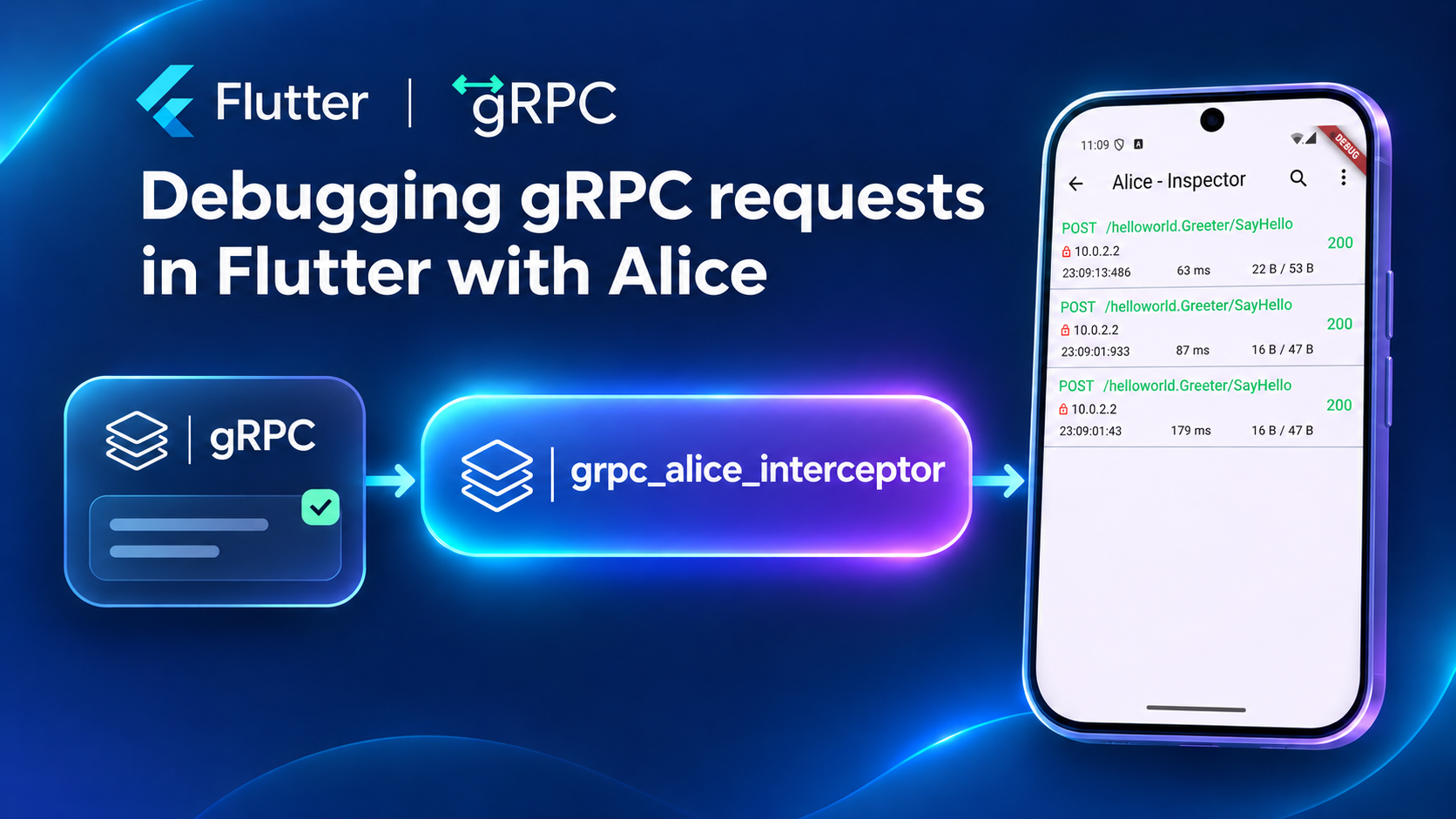
Communicating with a backend is one of the core responsibilities of almost every mobile application.
A good networking setup should be quick to integrate, convenient to use, easy to extend, and provide the tools needed to handle errors and debug unexpected behavior. The right client library can save a significant amount of development time and keep the networking layer consistent as the application grows.
In my experience, Dio is probably the most popular HTTP client for working with REST APIs in Flutter, and it meets these requirements very well.
For debugging requests directly inside an application, I consider Alice the best companion package.
Alice is an HTTP inspector that runs directly inside a Flutter application. We do not need to connect the device to an external proxy (goodbye, Charles) or search through long console logs. We can open the inspector and see the network calls made by the application.
I find it especially useful for several reasons:
- Integration into an existing project is quick and simple.
- We can see how long each request takes.
- We can inspect query parameters, request body, headers, response body, and errors.
- We can search and filter requests.
- We can share a request through the system share sheet, for example by email or a messaging application.
The last feature is particularly convenient when communicating with QA engineers. Instead of sending several screenshots or copying parts of a request from the console, we can share the captured call directly from the application.
Adding Alice to a Flutter application
First, add Alice and Dio to pubspec.yaml:
dependencies:
  dio: ^5.0.0
  flutter_alice: ^3.0.0
Create a navigator key, Alice, and Dio:
final navigatorKey = GlobalKey<NavigatorState>();
final alice = Alice(navigatorKey: navigatorKey);
final dio = Dio();
Add the Alice interceptor to Dio:
dio.interceptors.add(
  alice.getDioInterceptor(),
);
Use the same navigator key in the application:
MaterialApp(
  navigatorKey: navigatorKey,
  home: const HomePage(),
);
The inspector can be opened from any suitable place in the UI:
IconButton(
  tooltip: 'Open Alice',
  onPressed: alice.showInspector,
  icon: const Icon(Icons.network_check),
);
That is enough to start seeing Dio requests in Alice.
For each call, the inspector shows its method, endpoint, status, duration, headers, query parameters, body, response, and error details. Alice also keeps the requests in a searchable list, which makes it much easier to investigate a particular user flow.
The problem with gRPC requests
On one of my projects, I started working with gRPC requests in addition to REST.
This is where the developer experience became less convenient.
For REST, Flutter has Dio and a large ecosystem around it. For gRPC, we have the official grpc package, generated clients, and interceptors, but application-level networking usually requires more setup.
I addressed the client side of this problem in flutter_grpc_kit.
It helps organize reusable gRPC clients, authentication, token refresh, shared metadata, interceptors, response transformations, and unified error handling.
For a detailed walkthrough with usage examples, read the article on ashemetau.vercel.app or Medium.
However, one problem remained: I still did not have the same convenient in-app request inspection that I had with Dio and Alice.
gRPC calls did not appear in Alice automatically. When debugging them, I had to rely on console logs or add temporary logging around individual calls.
I wanted both REST and gRPC requests to be available in the same familiar inspector.
That is why I created grpc_alice_interceptor.
What grpc_alice_interceptor does
grpc_alice_interceptor sends completed unary gRPC calls to Alice.
After it is connected, a gRPC request appears in the same call list as the REST requests captured from Dio.
For every captured gRPC call, we can inspect:
- The service and method path.
- The server host.
- Request metadata.
- The protobuf request body in a readable form.
- The protobuf response body.
- The execution time.
- The gRPC status code and message.
- Error details when the call fails.
Sensitive metadata keys such as authorization and token are masked before the call is added to Alice.
This gives us one place for debugging the application’s network activity, even when the project uses both REST and gRPC.
Installing the interceptor
Add the packages to pubspec.yaml:
dependencies:
  grpc_alice_interceptor: ^0.1.2
  flutter_alice: ^3.0.0
  grpc: ^5.1.0
If Alice is already configured for Dio, we can reuse the same instance:
final navigatorKey = GlobalKey<NavigatorState>();
final alice = Alice(navigatorKey: navigatorKey);
Create the gRPC channel as usual:
final channel = ClientChannel(
  'grpc.example.com',
  port: 443,
  options: const ChannelOptions(
    credentials: ChannelCredentials.secure(),
  ),
);
Then add GrpcAliceInterceptor to the generated client:
final greeterClient = GreeterClient(
  channel,
  interceptors: [
    GrpcAliceInterceptor(
      onCallRecorded: alice.addHttpCall,
      serverHost: 'grpc.example.com',
      secure: true,
    ),
  ],
);
There are three values to provide:
-
onCallRecordedpasses the captured call to Alice. -
serverHostis the host displayed in the inspector. -
secureindicates whether the channel uses TLS.
The generated client can then be used normally:
final reply = await greeterClient.sayHello(
  HelloRequest(name: 'world'),
  options: CallOptions(
    metadata: {
      'token': accessToken,
      'x-app-version': '1.0.0',
    },
  ),
);
No changes are required in the code that sends the request or handles the response.
After the call completes, open Alice:
alice.showInspector();The SayHello call will be available in the request list. Its token metadata will be displayed as ***, while the remaining metadata, request, response, status, and duration remain available for debugging.
Using it together with Dio
The same Alice instance can receive both REST and gRPC calls:
final navigatorKey = GlobalKey<NavigatorState>();
final alice = Alice(navigatorKey: navigatorKey);

final dio = Dio();
dio.interceptors.add(alice.getDioInterceptor());

final grpcChannel = ClientChannel(
  'grpc.example.com',
  port: 443,
  options: const ChannelOptions(
    credentials: ChannelCredentials.secure(),
  ),
);

final greeterClient = GreeterClient(
  grpcChannel,
  interceptors: [
    GrpcAliceInterceptor(
      onCallRecorded: alice.addHttpCall,
      serverHost: 'grpc.example.com',
      secure: true,
    ),
  ],
);
Now REST calls from Dio and unary gRPC calls from the generated client appear together.
This is useful when a single feature combines several backend APIs. For example, a screen may load its main data through gRPC and upload an attachment through REST. We can follow the complete flow without switching between different debugging tools.
Using it with flutter_grpc_kit
grpc_alice_interceptor works with the official gRPC clients directly. It can also be added to clients created with flutter_grpc_kit.
GrpcChannelFactory already knows the parsed server host and whether the endpoint uses TLS, so we can use that information when creating the interceptor:
final channelFactory = GrpcChannelFactory(
  gatewayUrl: 'https://grpc.example.com',
);

final interceptors = <ClientInterceptor>[
  GrpcAliceInterceptor(
    onCallRecorded: alice.addHttpCall,
    serverHost: channelFactory.endpoint.host,
    secure: channelFactory.endpoint.useTls,
  ),
];
Pass the list to an application-level client:
final profileClient = ProfileGrpcClient(
  channel: channelFactory.channel,
  executor: executor,
  interceptors: interceptors,
);
The client keeps its application-friendly API, while the requests it sends become visible in Alice.
The same interceptor list can be reused by several clients:
final profileClient = ProfileGrpcClient(
  channel: channelFactory.channel,
  executor: executor,
  interceptors: interceptors,
);

final catalogClient = CatalogGrpcClient(
  channel: channelFactory.channel,
  executor: executor,
  interceptors: interceptors,
);
This makes it possible to enable in-app inspection for the whole gRPC networking layer in one place.
Sharing a captured request with QA
One of my favorite Alice features is request sharing.
Imagine that QA finds an issue that occurs only after a particular gRPC call. Without an inspector, they may need to describe the problem, attach screenshots, and ask a developer to reproduce it with additional logging.
With Alice, they can open the failed call and share it through the system share sheet. Depending on the applications installed on the device, it can be sent by email, a messaging application, or another collaboration tool.
The shared information includes the request and response details needed to start investigating the problem. At the same time, known sensitive metadata is masked by grpc_alice_interceptor before it reaches the inspector.
This does not replace backend logs or monitoring, but it makes communication during development and testing much faster.
Running the example
The repository contains a small Flutter application and a local gRPC Greeter server.
Start the server in one terminal:
cd example
dart run bin/server.dart
Run the application in another terminal:
cd example
flutter run
Tap SayHello, then open Alice from the app bar.
The inspector will show the captured unary call, including its request, response, metadata, status, and duration.
When running the example against the local server, use:
-
http://127.0.0.1:50051on iOS Simulator or desktop. -
http://10.0.2.2:50051on Android Emulator.
Current scope
The package currently records unary gRPC calls.
Unary calls have one request and one response, which fits naturally into the Alice call interface.
Client-streaming, server-streaming, and bidirectional-streaming calls are not captured yet. They contain multiple messages over time and need a different inspector experience to remain useful.
One inspector for REST and gRPC
I already used Alice to debug Dio requests because it is simple to integrate and gives the whole team a convenient view of application network calls.
When gRPC was added to the project, I wanted to keep the same workflow instead of introducing another collection of temporary logs.
grpc_alice_interceptor makes that possible.
It allows us to:
- Keep REST and gRPC calls in one inspector.
- See gRPC request and response data directly in the application.
- Check execution time, metadata, status, and errors.
- Search for a particular call.
- Share captured calls with QA or other developers.
- Mask common authentication metadata.
- Add inspection without changing the code that sends requests.
To install the package, run:
flutter pub add grpc_alice_interceptorUseful links: